
Smart Contracts on Ethereum - 02: Development 💻
Build your first Ethereum smart contract from scratch and understand how Solidity really works, from storage and events to custom errors and validation logic.

Smart Contracts on Ethereum
Develop, Test, Deploy and Interact
Welcome Back!
In this hands-on tutorial, you will build our first Solidity smart contract. Our goal is to learn the core building blocks of Solidity: how to manage state, trigger events, apply validation and use custom errors.
By the end of this article, you will have written your first smart contract, fully functional and ready to test and deploy in the next parts of this series.
Each section follows a simple structure:
🎯 Goal: what you will achieve in this section
💻 Code: the new Solidity snippet to add to your contract
🔍 Breakdown: a short explanation of what is happening and why
Each section builds on the previous one, so working through the sections sequentially ensures that everything compiles and works smoothly.
If you have not completed Part 01: Setup yet, please start there first and come back afterwards.
Table of Contents
- Setting Up a New Project
- Writing the Smart Contract
- What's Next?
1. Setting Up the Project
Before you can start coding our smart contract, we need to set up a clean workspace. You will do this with Hardhat, a professional Ethereum development framework that makes it easy to compile, test, and deploy Solidity code.
1.1 Create a New Project Directory
🎯 Goal
Start with an empty directory where you will write all our project files.
💻 Code
mkdir smart-contracts && cd smart-contracts🔍 Breakdown
mkdir smart-contracts
Creates a new directory.cd smart-contracts
Opens the directory in your terminal.
1.2 Initialize a Node.js Project
🎯 Goal
Create a package.json file to manage dependencies and scripts.
💻 Code
npm init -y🔍 Breakdown
npm init
Creates thepackage.jsonfile. The-yflag accepts all default options automatically.
Expected output:
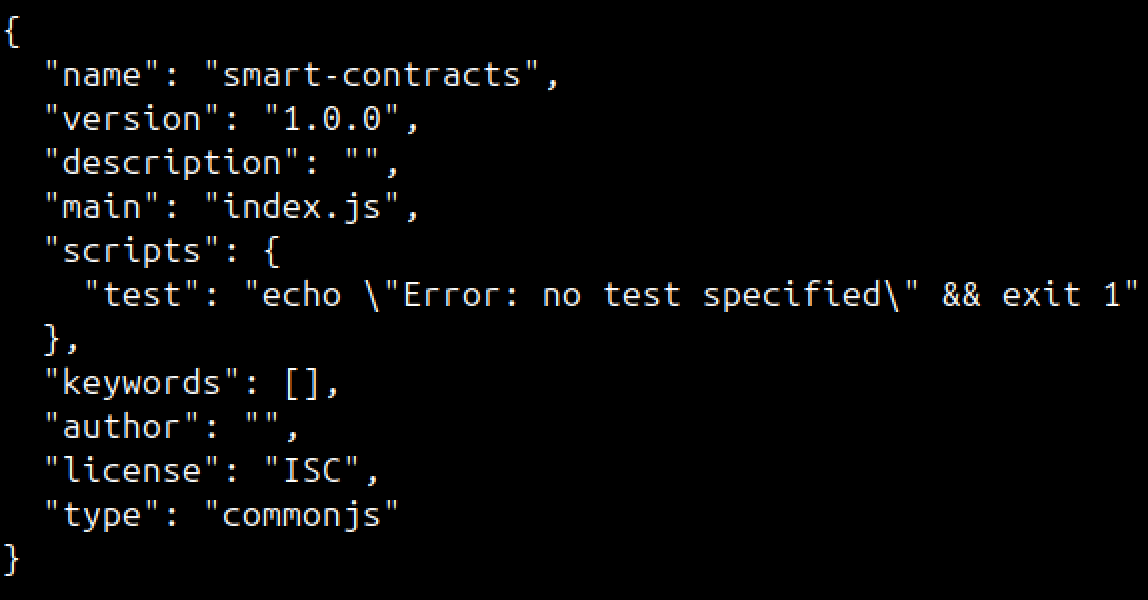
package.json file in your folder.1.3 Install and Initialize Hardhat
🎯 Goal
Set up Hardhat in the project to compile, test and deploy Solidity smart contracts.
💻 Code
Now install and run Hardhat to create a basic project structure:
npm install --save-dev hardhat@2.26.5
npx hardhat init
🔍 Breakdown
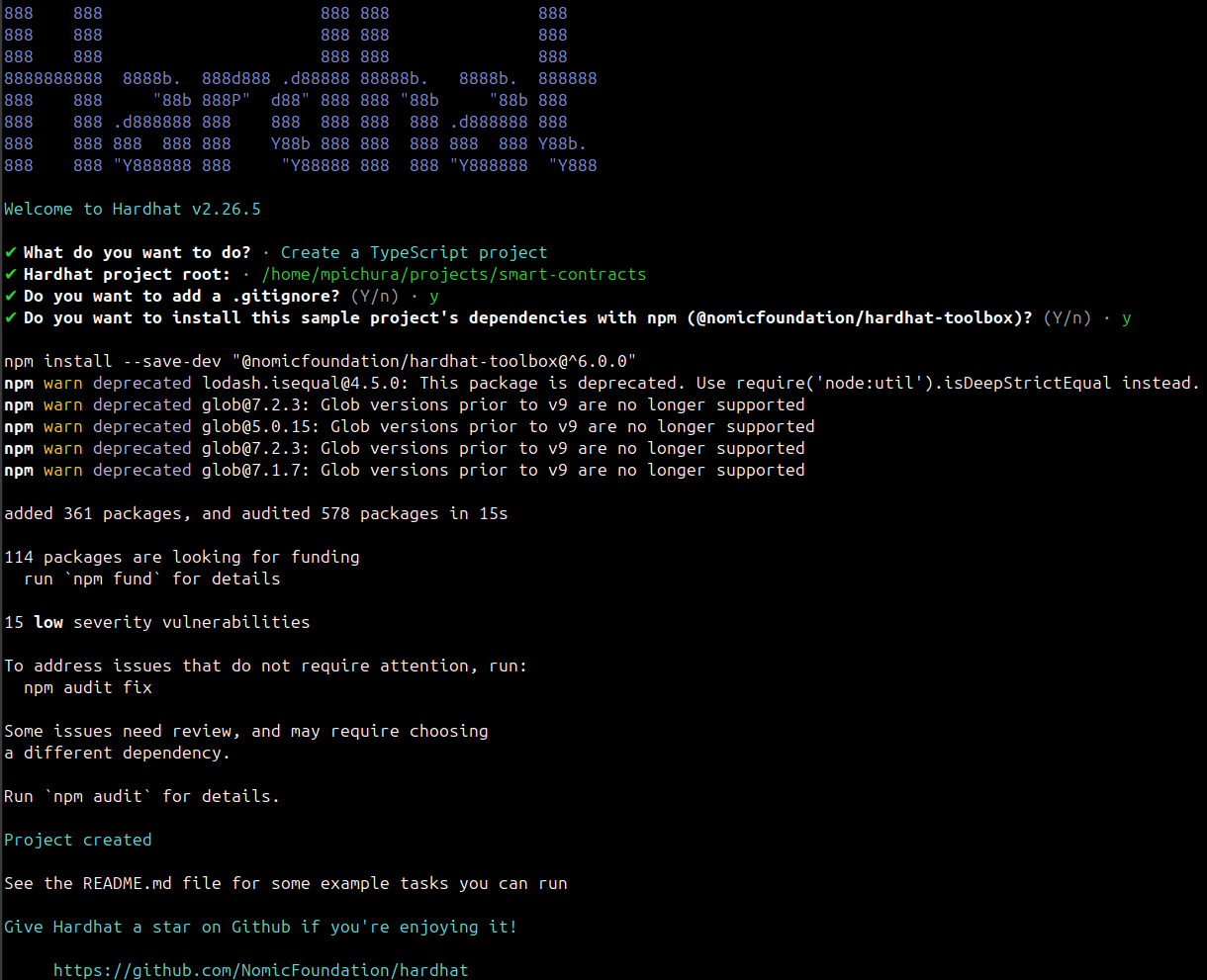
You will be asked a few questions, choose the following answers:
- What do you want to do?
Create a TypeScript project - Hardhat project root
Accept the suggested path. - Do you want to add a .gitignore?
y - Do you want to install this sample project's dependencies with npm (@nomicfoundation/hardhat-toolbox)?
y
Expected output:
1.4 Clean Up the Sample Files
🎯 Goal
Remove the default example contracts and tests to start from scratch.
💻 Code
rm contracts/Lock.sol test/Lock.ts ignition/modules/Lock.ts 🔍 Breakdown
- Deletes the default
Lockcontract and its related test and module files. - Keeps only the essential Hardhat structure.
2. Writing the Smart Contract
Now that our project is ready, let's build our first smart contract. The InteractionLogger will record who interacted, when, and under what name. Along the way, you will learn how to:
- store and structure on-chain data
- use events for off-chain logging
- write custom errors for efficient validation
To keep the listings tidy, code snippets contain no inline comments (except for the main contract header).
2.1 Create the Contract File
🎯 Goal
Create contracts/InteractionLogger.sol with license, compiler version, NatSpec header and an empty contract skeleton.
💻 Code
// SPDX-License-Identifier: MIT
pragma solidity ^0.8.24;

/// @title InteractionLogger
/// @notice Logs unique user interactions by name and lets the owner reset them.
/// @dev Name length is limited in bytes (UTF-8), emojis can exceed 1 byte.
contract InteractionLogger {
}
🔍 Breakdown
SPDX-License-Identifier: MIT
Defines the license, required by most tools.pragma solidity ^0.8.24;
Sets compiler compatibility.^means "any version >=0.8.24 and <0.9.0."///
Introduces a machine-readable comment in the Ethereum Natural Language Specification Format (NatSpec).contract InteractionLogger {}
The root structure for state and functions.
2.2 Add a Struct
🎯 Goal
Group related data fields (who, when, name) into a single reusable type.
💻 Code
struct Interaction {
    uint256 timestamp;
    address identity;
    string name;
}
🔍 Breakdown
Per variable
timestamp
When the interaction was recorded.identity
Ethereum address that triggered the interaction.name
Human-readable label stored as a UTF-8 encoded string.
Per keyword
struct
Defines a new custom data type that can hold multiple related values.uint256
Unsigned integer (0 to 2²⁵⁶-1).address
20-byte value representing an Ethereum address.string
Dynamically sized UTF-8 encoded sequence of characters.
2.3 Add State Variables
🎯 Goal
Define the persistent state the contract will keep track of: the contract owner, the maximum name length in bytes, the most recently recorded key, a mapping from names to interactions.
💻 Code
address public immutable OWNER;
uint256 public constant NAME_MAX_LENGTH = 16;

string private lastInteractionName;
mapping(string => Interaction) private interactionsByName;
🔍 Breakdown
Per variable
OWNER
Address of the account that deployed the contract.NAME_MAX_LENGTH
Upper limit in bytes for names.lastInteractionName
Most recently recorded name.interactionsByName
Maps a uniquenameto a specificinteraction.
Per keyword
immutable
Value can only be assigned once, during construction (fixed after deployment).constant
Value can only be assigned once, in code (fixed at compile time).mapping
Key/value hash table with O(1) lookup. Missing keys return default values (0,"",false).public
Accessible inside this contract and from outside. Creates implicitly an external getter for the variable.private
Only accessible inside this contract.
immutable and constant save gas because the variables do not occupy storage slots at runtime.2.4 Add Events
🎯 Goal
Allow off-chain systems (frontends, backends, indexers ...) to listen to on-chain activity. Events in Solidity are used to log information on the blockchain. They do not change the contract's state, but record data in the transaction receipt, which external systems can read later.
💻 Code
event InteractionSet(address indexed identity, string indexed name);
event InteractionReset(string indexed name);
🔍 Breakdown
Per event
InteractionSet
Emitted whenever a new interaction is stored.InteractionReset
Emitted when the owner deletes an existing record.
Per keyword
event
Defines a log entry structure written into the transaction receipt.indexed
Makes fields searchable. Up to three fields per event can be indexed. For strings, only theirkeccak256hash is stored, not the plain text.
2.5 Add Custom Errors
🎯 Goal
Define custom errors to signal what went wrong when a precondition fails.
💻 Code
error NameEmpty();
error NameTooLong(uint256 max);
error DuplicateName();
error NotOwner();
error NameNotFound();
🔍 Breakdown
Per keyword
error
Declares a custom, typed error message without logic.
require(condition, "error message") statements, because they use encoded data instead of long strings. Example:
Instead of writingyou can writeThis saves bytecode space and gas and makes testing easier.
2.6 Add the Constructor
🎯 Goal
Initialize the contract by assigning the deployer's address as the immutable owner.
💻 Code
constructor() {
    OWNER = msg.sender;
}
🔍 Breakdown
constructor()
Special function that runs once during deployment. It cannot be called again and is not part of the runtime bytecode.OWNER = msg.sender
Sets the address of the caller (i.e. deployer) as the owner of this contract.
OWNER() will return the deployer's address.2.7 Add the setInteraction Function
🎯 Goal
Allow users to record a unique interaction under a chosen name. Before storing it on-chain, we verify that the name:
- is not empty,
- does not exceed the byte limit,
- has not been used before.
💻 Code
function setInteraction(string calldata name) external {
    uint256 nameLength = bytes(name).length;

    if (nameLength == 0) {
        revert NameEmpty();
    }

    if (nameLength > NAME_MAX_LENGTH) {
        revert NameTooLong(NAME_MAX_LENGTH);
    }

    if (interactionsByName[name].timestamp != 0) {
        revert DuplicateName();
    }

    interactionsByName[name] = Interaction({
        timestamp: block.timestamp,
        identity: msg.sender,
        name: name
    });

    lastInteractionName = name;
    emit InteractionSet(msg.sender, name);
}
🔍 Breakdown
calldata
Read-only parameter stored in the so-called calldata area.external
Function can only be called from outside this contract (e.g. backend or other contracts).bytes(name).length
Converts the UTF-8 string to bytes and counts them.revert()
Stops execution, undoes all state changes and signals an error.block.timestamp
Timestamp of the current block in seconds.emit
Writes a log into the transaction receipt
storage for persistent on-chain data, memory for temporary variables inside a function, calldata for read-only function parameters.2.8 Add the resetInteraction Function
🎯 Goal
Allow the contract owner to delete a previously recorded interaction by its name. If the caller is not the owner or an interaction with the given name does not exist, revert the transaction.
💻 Code
function resetInteraction(string calldata name) external {
    if (msg.sender != OWNER) {
        revert NotOwner();
    }

    if (interactionsByName[name].timestamp == 0) {
        revert NameNotFound();
    }

    delete interactionsByName[name];

    emit InteractionReset(name);
}
🔍 Breakdown
msg.sender != OWNER
Restricts access to the deployer account. Only the contract owner may reset records.interactionsByName[name]
Performs a direct and fast lookup in the mapping.timestamp == 0
Acts as an existence check. If the timestamp is zero, no interaction exists under that name.delete interactionsByName[name]
Resets all struct fields to their default values (i.e.0,address(0)and"").
2.9 Add the getLastInteraction Function
🎯 Goal
Retrieve the most recently recorded interaction from storage. If no interactions exist or an interaction under the given name does not exist, revert the transaction with a custom error.
💻 Code
function getLastInteraction() external view returns (Interaction memory) {
    if (bytes(lastInteractionName).length == 0) {
        revert NameNotFound();
    }

    Interaction memory interaction = interactionsByName[
        lastInteractionName
    ];

    if (interaction.timestamp == 0) {
        revert NameNotFound();
    }

    return interaction;
}
🔍 Breakdown
view
Declares that the function reads state but does not modify it.returns (Interaction memory)
Returns a copy of the stored struct from the storage.
view functions are free, but on-chain calls from other contracts still consume gas.2.10 Add the getInteractionByName Function
🎯 Goal
Retrieve a specific interaction by its name. If no record exists under the given name, revert with the transaction with a custom error.
💻 Code
function getInteractionByName(
    string calldata name
) external view returns (Interaction memory) {
    Interaction memory interaction = interactionsByName[name];

    if (interaction.timestamp == 0) {
        revert NameNotFound();
    }

    return interaction;
}
🔍 Breakdown
returns (Interaction memory)
Returns a copy of the struct stored with the given name in the mapping.
2.11 Add the hasInteraction Function
🎯 Goal
Provide a lightweight way to check whether an interaction with the given name exists, without loading the full Interaction struct.
💻 Code
    function hasInteraction(string calldata name) external view returns (bool) {
        return interactionsByName[name].timestamp != 0;
    }
🔍 Breakdown
returns (bool)
Returnstrueorfalsedepending on whether the interaction exists.
2.12 Compile the Smart Contract
🎯 Goal
Compile the Solidity code and check that everything is syntactically correct.
💻 Code
npx hardhat compile🔍 Breakdown
npx
Runs local project binaries (here Hardhat) without a global installation.hardhat compile
Invokes the Solidity compiler (solc) through Hardhat and compiles all.solfiles in yourcontractsfolder.
Expected output:

artifacts and cache folders.4. What's next?
Your smart contract is now complete and ready for testing.
In the next article, you will write a full test suite for this smart contract using Hardhat, Mocha, and Chai. You will learn how to verify contract behavior, test edge cases, and make sure everything works as expected before deployment.